Close the Ledger on Credit Fuel Sales, Keep Every Account Clear
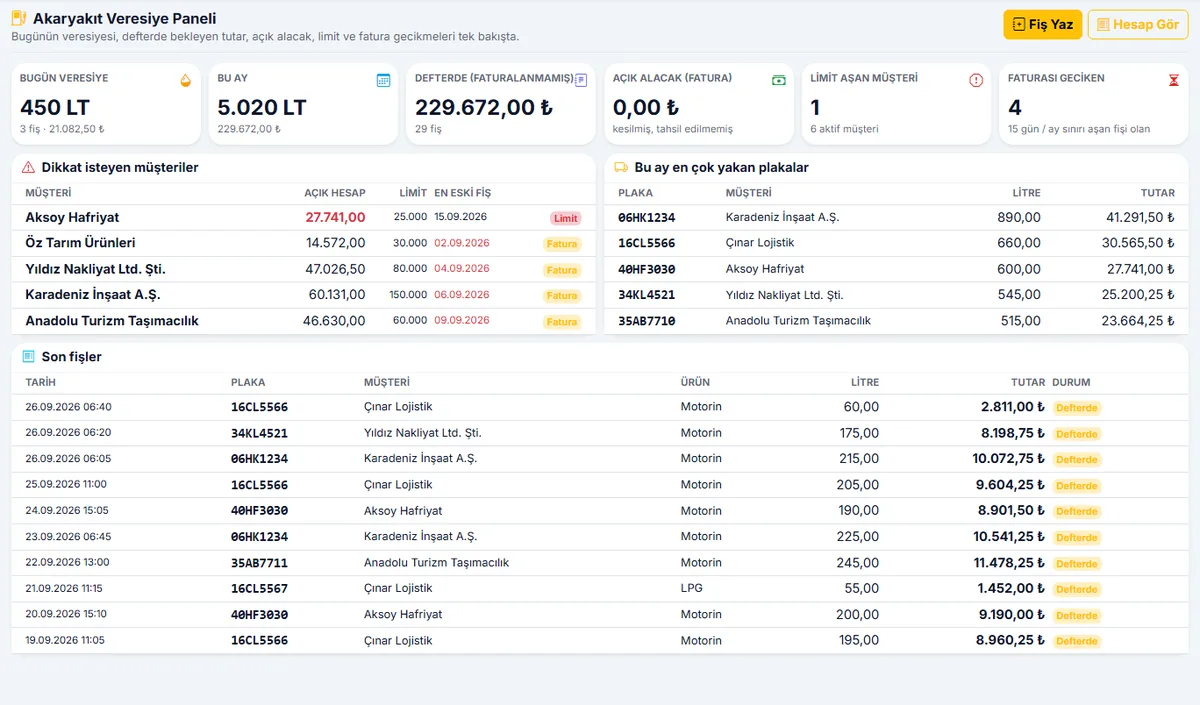
Type the license plate, enter the liters: the slip is posted to the customer's account instantly. At month end or every 15 days, preview and approve the period invoice before issuing it; you decide on that day which price to invoice at. Customers over their limit, slips with overdue invoicing, and open receivables are on your dashboard every morning.
From public institutions to universities, from automotive to manufacturing — solutions proven through projects delivered directly and with our solution partners.
Who Is It For?
For every station that sells fuel on credit: from a single-pump village station to a multi-station business.
Stations Selling on Credit
Stations that want to close the receipt book and the ledger and post every slip to the account instantly.
Stations Serving Trucking Companies
Stations that fuel dozens of plates and need to see the vehicle and driver on the slip.
Stations in Farming Regions
Stations that run seasonal accounts and collect in bulk after the harvest.
Construction and Excavation Fleets
Stations that fuel construction site vehicles and need to monitor each vehicle's monthly liter cap.
Stations Fueling Company Vehicles
Stations working with corporate customers who require a plate, date, and liter breakdown on their invoice.
Multi-Station Businesses
Businesses that want to manage multiple stations from a single center with station-specific pricing.
The Familiar Troubles of the Credit Ledger
Problems that come up at the pump and at month end, and how the system solves them.
Credit slips are written in a ledger or receipt book; adding them up at month end takes hours and comes out wrong.
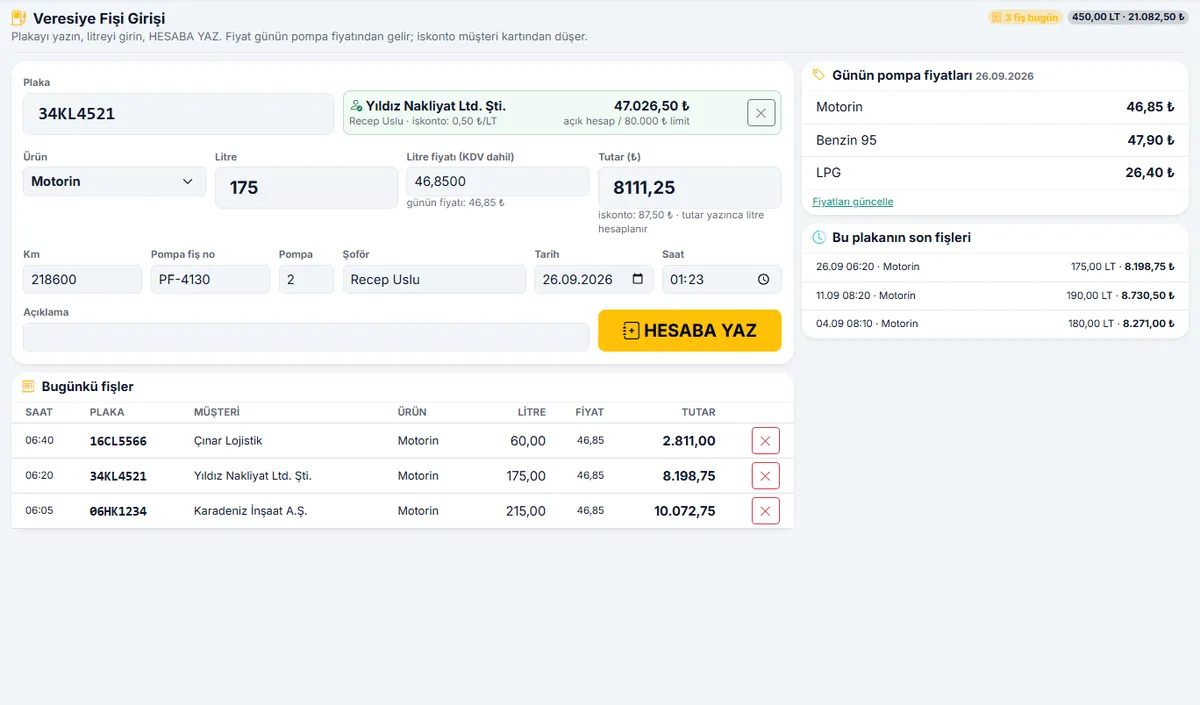
Every fill-up is recorded by plate in seconds; the customer's account is updated instantly, and the month-end total is ready.
The customer says “this slip isn't ours”; which vehicle, which driver, and what time are unclear.
The slip records the plate, driver, pump slip number, mileage, date, and time. The slip breakdown goes to the customer as an invoice attachment; the argument ends.
Which price to invoice at causes a dispute every month.
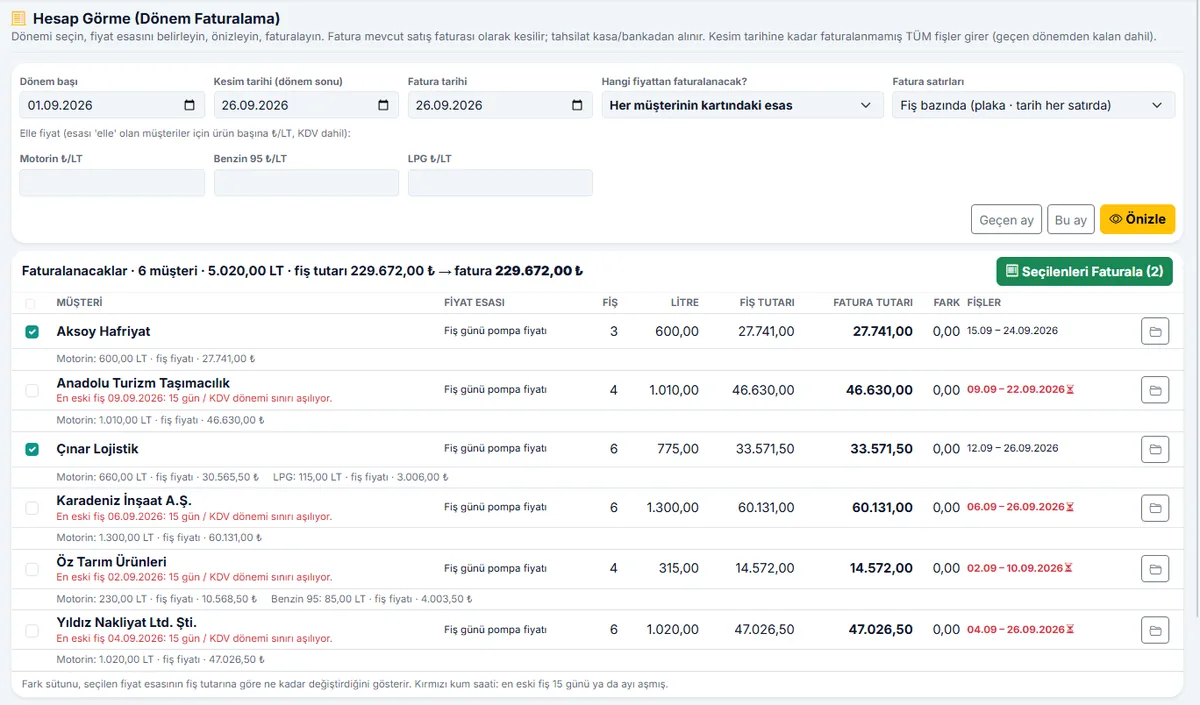
On settlement day, you choose the pricing basis: the price on the slip date, the price on the invoice date, the agreement on the customer card, or a manually entered price. No invoice is issued until the preview is approved.
Some customers exceed their limit; by the time it's noticed, the debt has grown.
An account limit is set for each customer; customers who are over their limit or have slips with overdue invoicing are shown in red on the dashboard, and a limit warning appears when entering a slip.
Invoices and collections are in a separate program; the accountant re-enters everything at month end.
The period invoice is issued in İskay ERP, the collection is posted to cash or bank, and the accounting entry is created automatically; the e-Transformation module is ready for e-Invoice.
The list produced by the pump automation is re-entered by hand.
The automation's Excel or CSV export is imported; the plate finds the customer, the same pump slip is never processed twice, and unknown plates are assigned to a customer on screen.
What's Included?
The entire credit sales flow, from the slip at the pump to collection in accounting, in a single module.
Slip Entry
- Type the plate; customer, vehicle, and driver come up automatically
- Product, liters, the day's price, and discount; the amount is calculated instantly
- Pump slip number, pump number, mileage, and driver name
- An incorrect slip is canceled; the record is not deleted, and the cancellation mark stays on the record
Customer and Vehicle Card
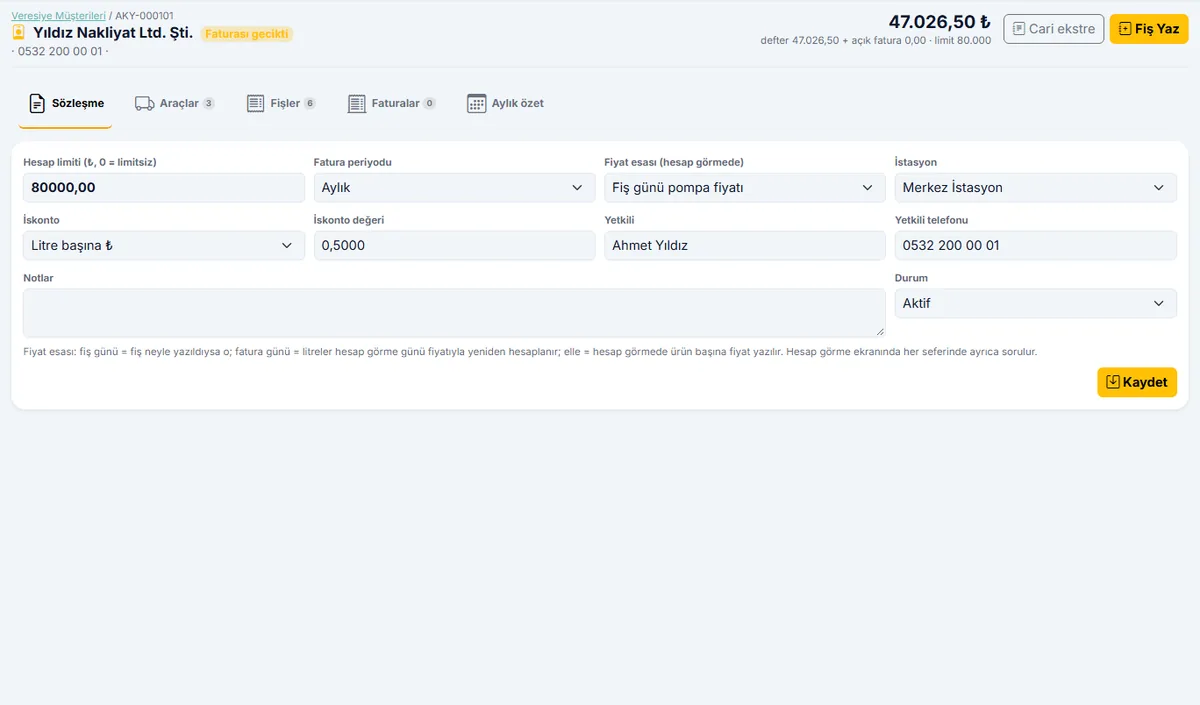
- Customer account: the account limit and the agreed invoicing period (monthly, 15 days, weekly) are kept on the customer card
- Customer-specific discount: per liter or percentage
- Vehicle list: plate, driver, default product, monthly liter cap
- The agreed pricing basis is stored on the customer card
Account Settlement and Invoicing
- Slips pending up to the cutoff date, by customer, on a single screen
- Pricing basis selection and a preview before approval
- Invoice per slip or with product summary lines
- Printable invoice attachment: plate, date, liters, and amount breakdown
Collection and Accounting
- Cash or bank collection, partial payment
- Open receivables, outstanding and settled invoices
- Accounting entries are created automatically
- Ready for e-Invoice and e-Archive (İskay ERP e-Transformation)
Pricing and Stations
- Products: diesel, gasoline, LPG, and any other products you choose
- Daily price list; past prices are kept
- Multiple stations, station-specific pricing
- A role for pump attendants and cashiers limited to entering slips only; other permissions are set by role
Reports and Import
- Liter and amount reports by customer, vehicle, and product
- Each vehicle's monthly liter cap is monitored
- Excel or CSV import from pump automation
- Reports are downloaded as CSV files; they open in Excel
From the Screens
Slip entry, customer card, and account settlement.
How Is It Set Up?
Your products and prices are entered
The station, products, and the day's prices are defined; when a price changes, only the new price is entered and the old ones are kept.
Your credit customers are set up
Customers from your ledger are transferred into the system with their license plates, limits, and agreed pricing basis; the previous balance is posted as an opening balance to the İskay ERP customer account and appears on the account statement.
The pump attendant enters slips the same day
From a tablet, phone, or the cashier's computer; their only permission is slip entry. Training takes one hour.
Questions on Your Mind
Where will the pump attendant enter the slip?
We have pump automation; do we have to enter the slips a second time?
Which price is the invoice based on?
How does the customer see their account?
Can we issue e-Invoices?
How is it priced?
Request a Free Demo for Your Station
Enter your station's name and the number of credit customers; we will walk you through a sample station set up for you.
Close the Credit Ledger, Bring the Accounts Into the System
Slips, accounts, invoices, and collections in one system; not a single liter goes unrecorded.
Schedule a Free Demo