IPTV Management System All Your Branch Screens in One Panel
Decide centrally in which branch, on which screen and with which channel the stream from your organisation's own IPTV subscription is shown. Promotional films, campaigns and announcements play on the same screen, and branches never see the subscription details.
From public institutions to universities, from automotive to manufacturing — solutions proven through projects delivered directly and with our solution partners.
Who Is It For?
For organisations that host customers in front of screens and run several branches or venues.
Automotive Service and Dealer Networks
Live broadcast and dealer campaigns on the same waiting-room screen; every dealer managed from head office.
Restaurant and Café Chains
Match broadcast, menu and today's offer on the same screen; each branch uses only channels opened by head office.
Gyms
Live broadcast and club announcements on screens in the training area; a schedule that changes by time of day.
Clinic and Hospital Waiting Areas
Information and health announcements alongside the live broadcast in the waiting room.
Bank and Financial Branches
Corporate communication and live broadcast on branch screens; content managed from headquarters in one panel.
Hotel Lobbies and Common Areas
Live broadcast, events and facility announcements on lobby, restaurant and common-area screens.
Public Service Buildings
Live broadcast and official announcements in halls where citizens wait; every building managed centrally.
Factory and Office Common Areas
Live broadcast, workplace safety and internal announcements on canteen, break-room and lobby screens.
Familiar Problems with Branch Screens
What goes wrong when screen content is left to the branches, and how the system solves it.
What a branch screen shows is left to the staff; head office has no idea what is on which screen.
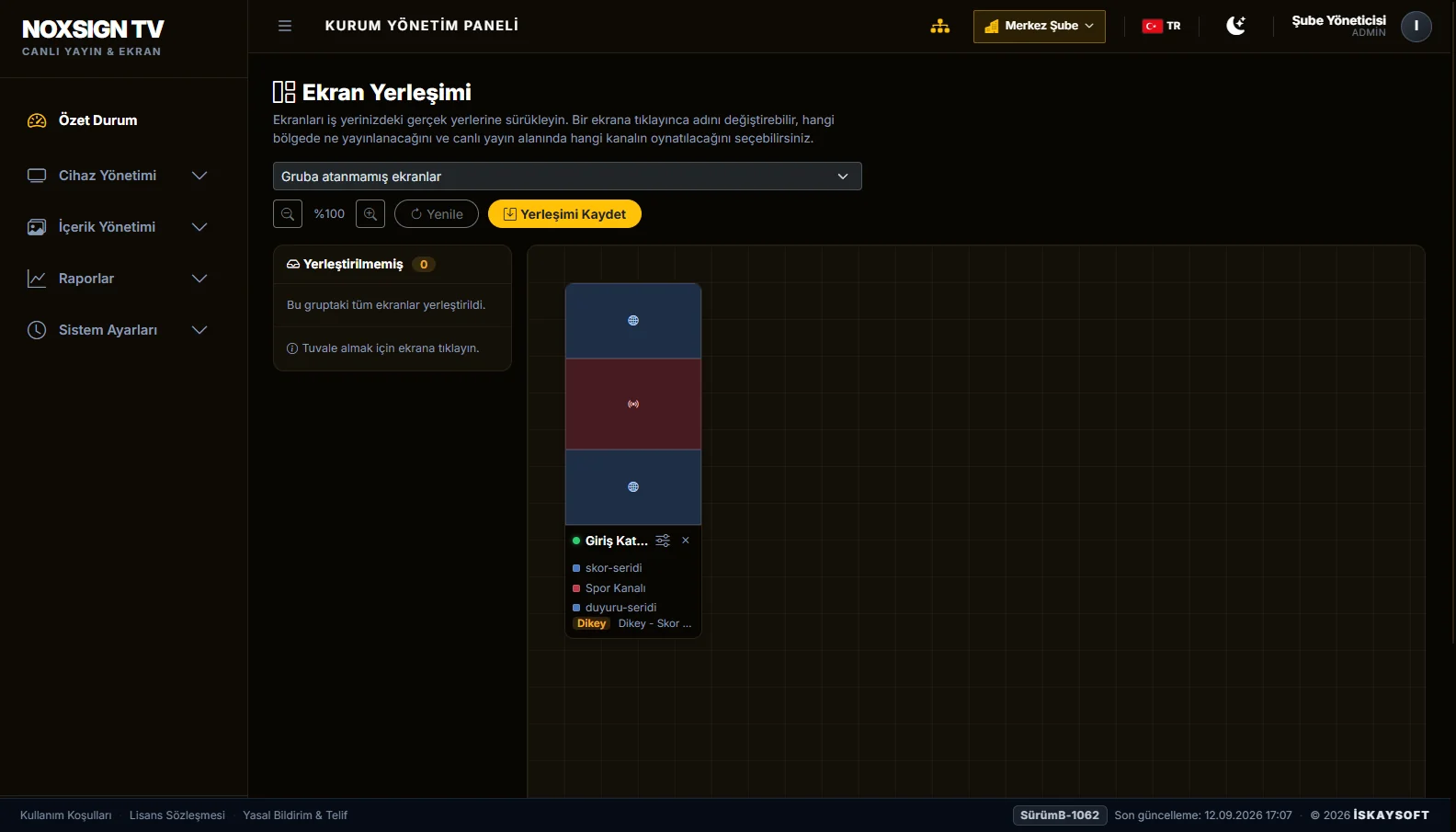
Screens are laid out in the panel on your floor plan; each card shows the channel and content currently on air.
IPTV account details are shared with branches; nobody knows who has the account or on which device.
Account details are defined only at head office and never shown to branches or the screen app.
Only TV runs on the screen; campaigns and announcements need a separate screen or device.
The same screen is split into zones: promotional films, campaign visuals and an information ticker play next to the live broadcast.
When the stream freezes or drops, the screen stays that way until someone notices and restarts the device.
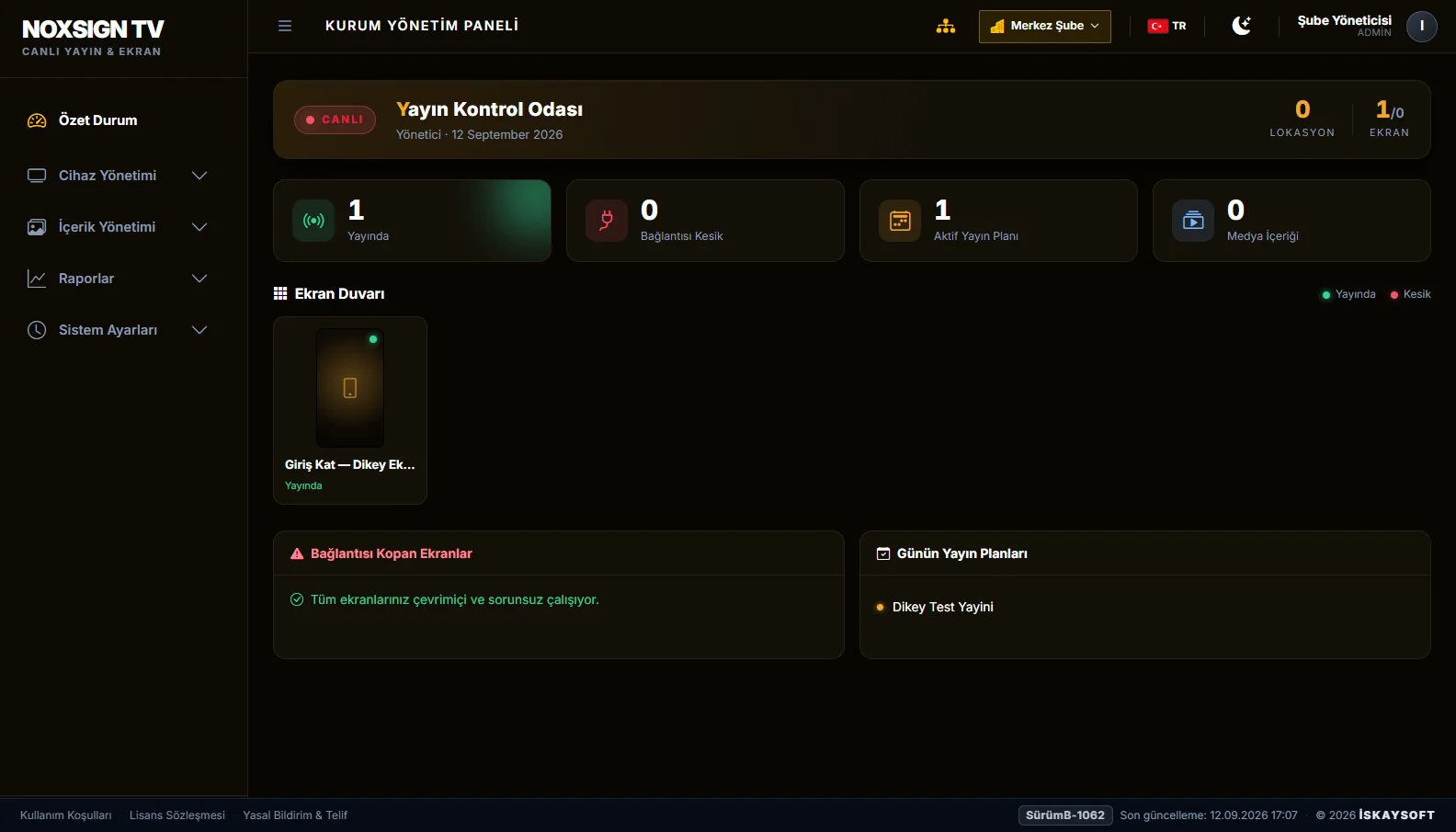
The player detects the interruption and reconnects by itself; a disconnected screen shows up in the panel straight away.
Changing the channel, lowering the volume or switching the screen off needs someone at the branch with a remote control.
Volume, screen on/off and stream refresh are done from the panel; screens switch on and off by opening hours on their own.
A technician is sent to every branch for app updates or maintenance.
Updates are delivered to screens remotely; maintenance is done without a site visit and without stopping the branch.
What Does the IPTV Management System Include?
Live broadcast, corporate content and screen operations in one panel.
Live Broadcast Management
- Channel selected from the organisation's own IPTV subscription
- Played full screen or in a dedicated zone
- Player that reconnects by itself after an interruption
Head Office and Branch Permissions
- Head office opens branches and sets their permission level
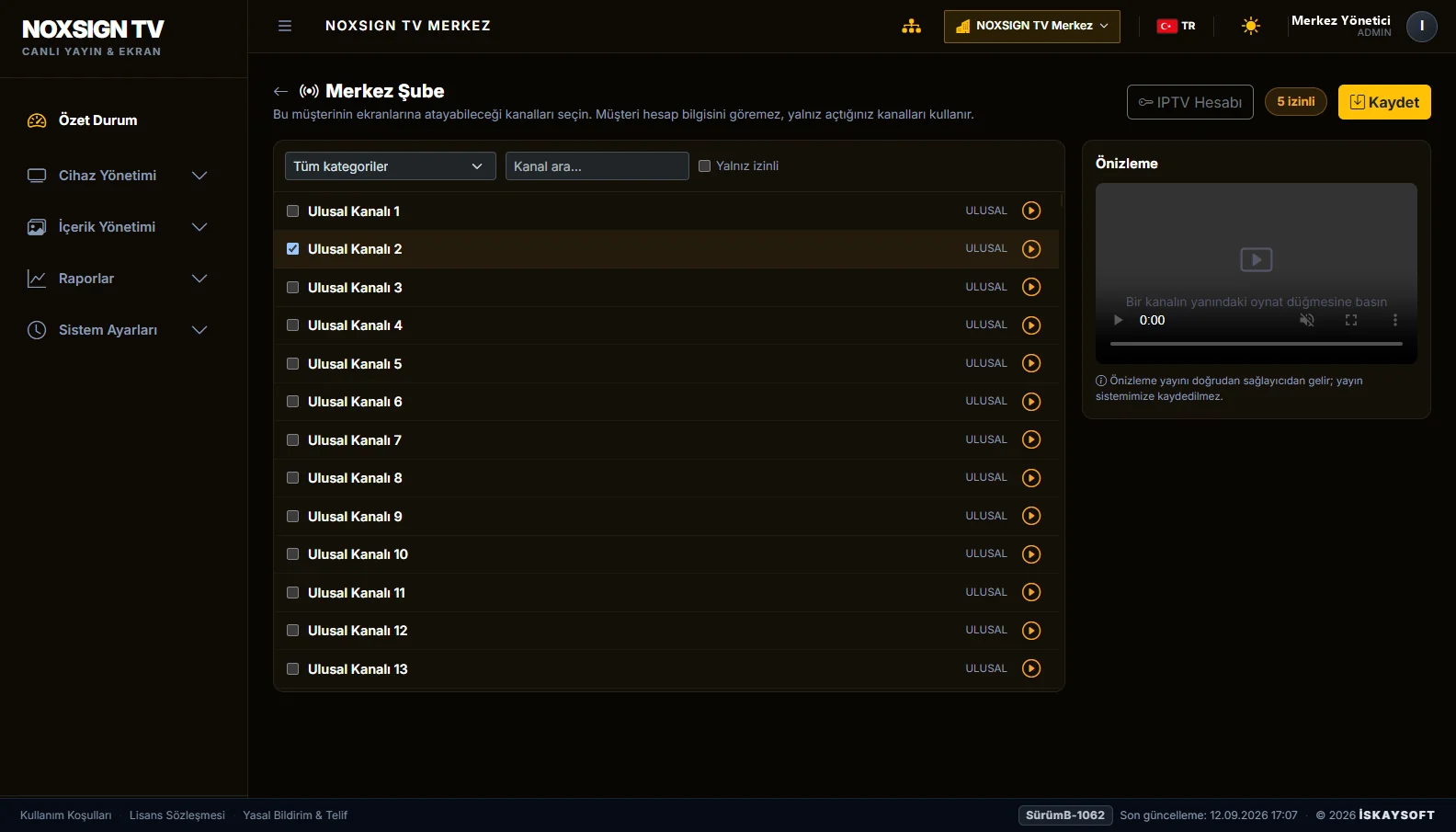
- Channel authorisation per branch
- Branches see neither subscription details nor other branches
Screen Layout
- Screen split into zones: broadcast, video, web page, scores, menu
- Portrait and landscape screens
- Screens arranged on the floor plan of your premises
Corporate Content and Schedule
- Playlists of promotional films, campaign visuals and announcements
- Schedule that changes by day and time
- Scores, price list, menu and information screens
Remote Operations
- Volume, screen on/off and stream refresh from the panel
- Screens switch on and off automatically by opening hours
- Disconnected screens in a single list
Installation and Maintenance
- Installed in the cloud or on your organisation's server
- App updates delivered to screens remotely
- Android-based professional displays and media players
From the Management Panel
Screen layout, channel permissions and branch summary.
How It Works
The subscription is set up at head office
Your organisation's IPTV account details are entered only in the head office panel; they are never shown to branch users or to the screen app.
Branches are given channel permissions
Head office chooses which channels each branch may use; a channel that is not authorised never reaches the screen.
Screens go on air
The branch assigns channels and content to its screens; changes reach the screens automatically, with no site visit needed.
Scope of Service
- İskaysoft provides only the playback and management software; it does not sell IPTV subscriptions, channel lists or broadcast services.
- The stream never passes through İskaysoft servers; each screen connects directly to your organisation's service provider.
- The channel list is not stored in the system and is not embedded in the screen application.
- Rights relating to showing the broadcast on your premises are determined by the scope of your organisation's subscription.
Frequently Asked Questions about NOXSIGN TV
Does NOXSIGN TV provide an IPTV subscription or channel list?
Does it work with our existing IPTV subscription?
What can a branch manager see?
How many branches and screens can we manage?
What happens if the internet goes down?
Which devices does it run on?
Can it be installed on our own server?
Let's Evaluate It for Your Organisation
Send us your number of branches and screen set-up; let's define the right installation model together.
Manage Your Branch Screens from One Panel
Your own IPTV subscription, your corporate content and all your screens in one system.
Schedule a Free Demo