Memberships, Check-In, Classes, and Payments on One Screen
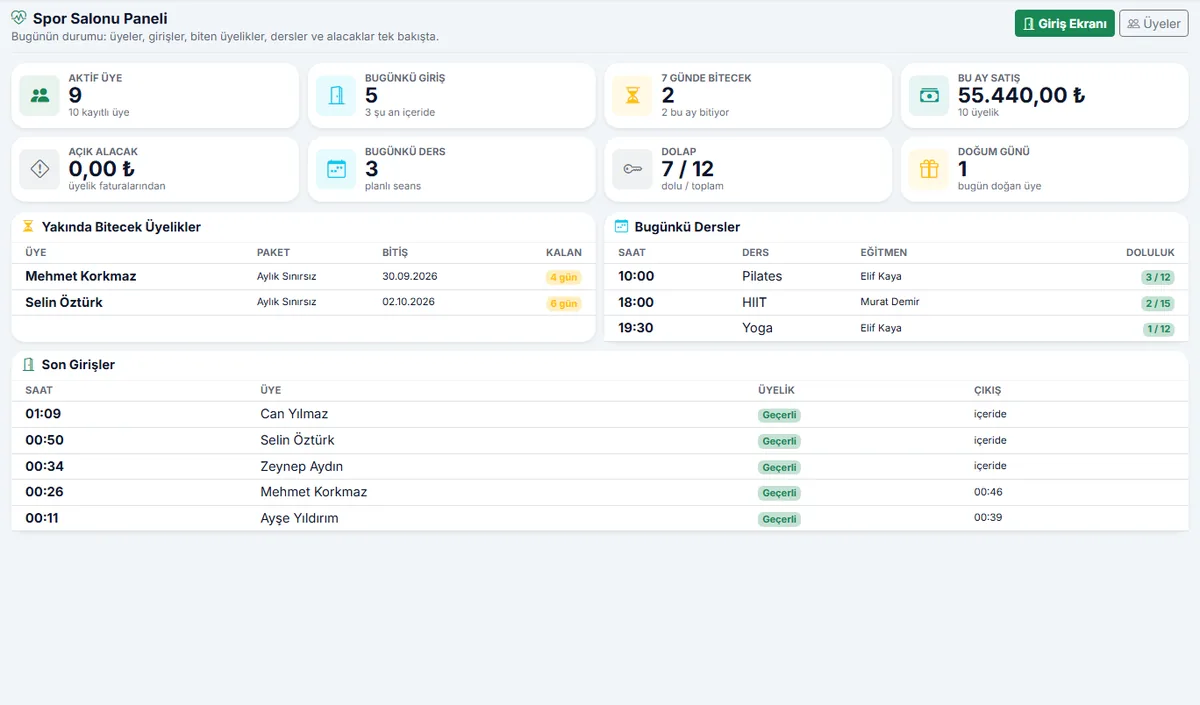
Who is a member, whose membership is about to expire, how many people checked in today, which class has open spots: all on one dashboard. A membership sale posts to invoicing and accounting instantly; card check-in, class booking, lockers, and personal training sessions all run in the same system.
From public institutions to universities, from automotive to manufacturing — solutions proven through projects delivered directly and with our solution partners.
Who Is It For?
For any fitness business with members, classes, and a front desk: from a single gym to a multi-location chain.
Fitness Centers
Gyms that want to run monthly and annual memberships, card check-in, and locker tracking from a single screen.
Pilates and Yoga Studios
Studios that sell class packages and need to keep capacity and bookings in order.
Personal Training Studios
Studios that sell session packages and need to log every session against a trainer and a member.
Martial Arts and CrossFit
Group-class-focused gyms where attendance and no-shows need to be on record.
Hotel, Residential, and Corporate Fitness Centers
Facilities that want to keep member records, check-in, and payments in the same system as the organization's accounting.
Multi-Location Fitness Chains
Businesses that want to manage more than one gym from a single system; reports are produced for all gyms together.
Familiar Problems in Running a Gym
Issues that come up at the front desk and at month end, and how the system solves them.
Membership end dates are tracked by looking through a notebook; no one knows for certain whose membership has expired or who owes money.
When the dashboard opens, it shows memberships that are about to expire and the total outstanding balance; when a card is scanned at the front desk, a member whose membership has expired is shown immediately.
Recognizing a member at the door and checking whether their membership is valid takes time.
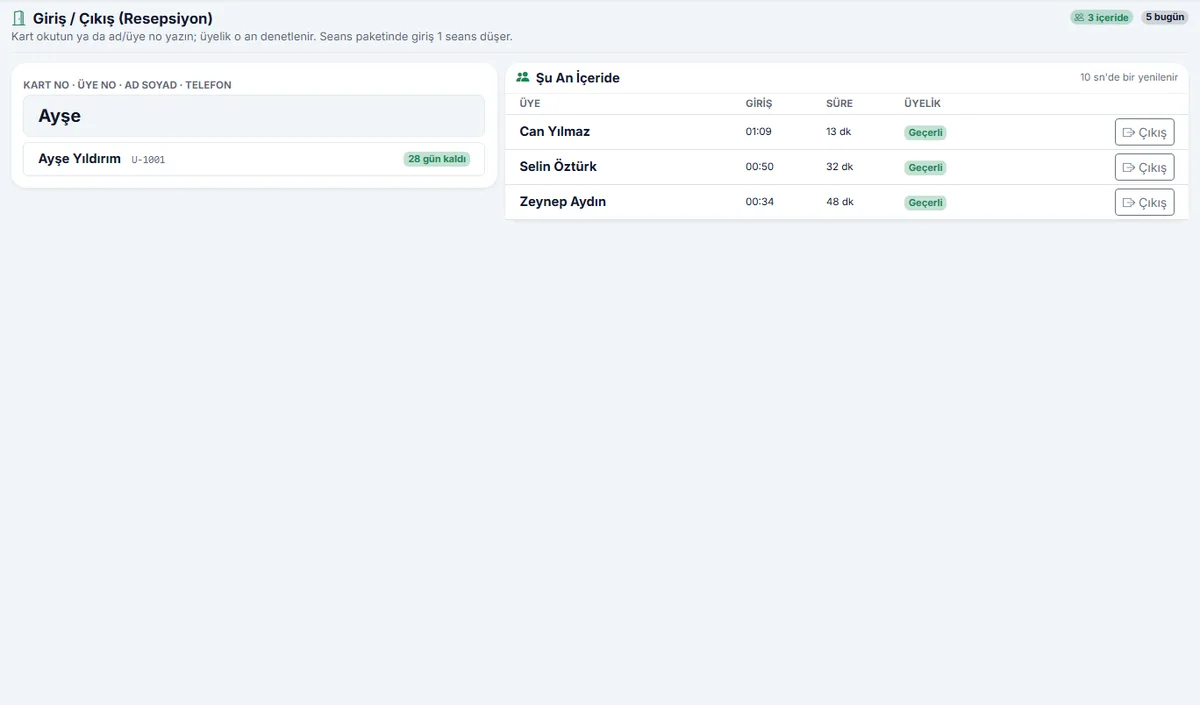
Members are found in seconds by card number, member number, or name; the system checks membership validity on its own and deducts a session from session-based packages.
Class capacity gets mixed up; it is unclear who showed up and who did not.
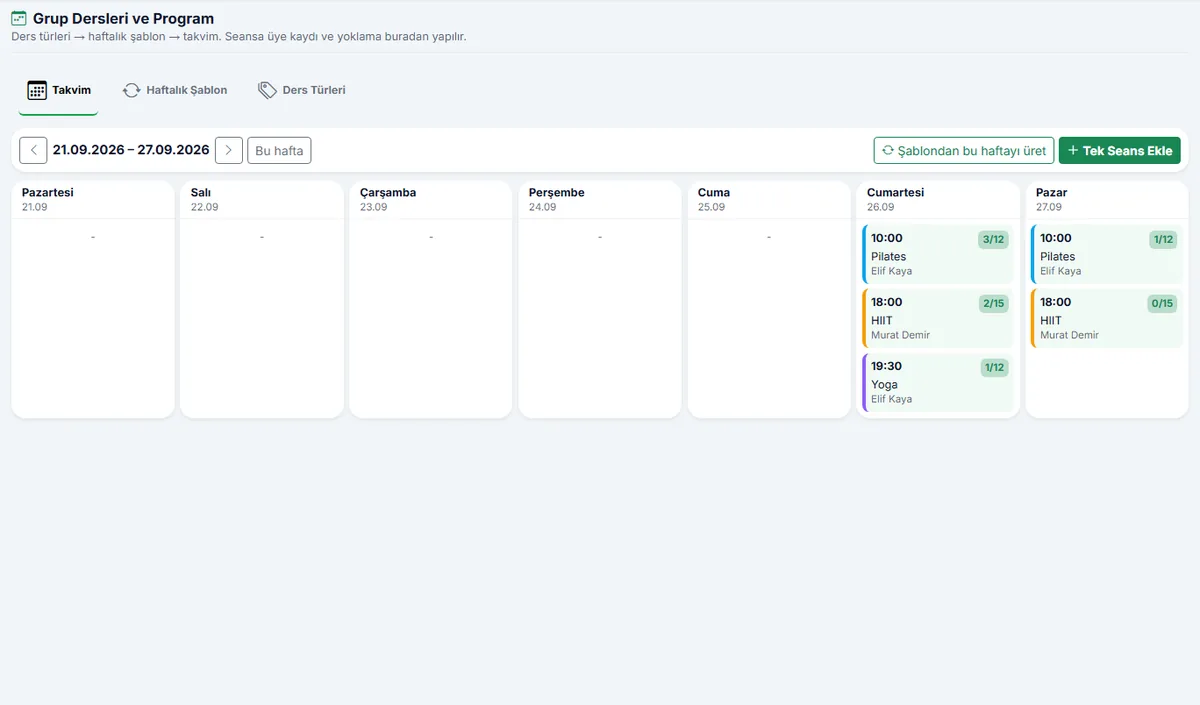
The schedule is generated from the weekly class template with one click; the front desk enrolls members in classes, the trainer takes attendance, and members who do not show up are recorded.
Invoices and payments for membership sales are in a separate program; accounting enters everything by hand at month end.
The moment a membership is sold, the invoice is issued, the payment is posted to cash or bank, and the accounting entry is created automatically. The same data is never entered twice.
Member details live in Excel; signed agreements and KVKK consent forms get lost in the files.
The member file, a ready-to-sign membership agreement, and the KVKK consent text are printed from the system; no membership is sold without consent.
Members forget when to renew; the front desk calls them one by one to remind them.
SMS or email reminders are sent to members nearing expiration from a single screen, with recipients selected as needed; who received what, and when, stays in the log.
What's Included?
From member registration to class attendance, from membership sales to accounting entries: the gym's entire workflow in a single module.
Member Management
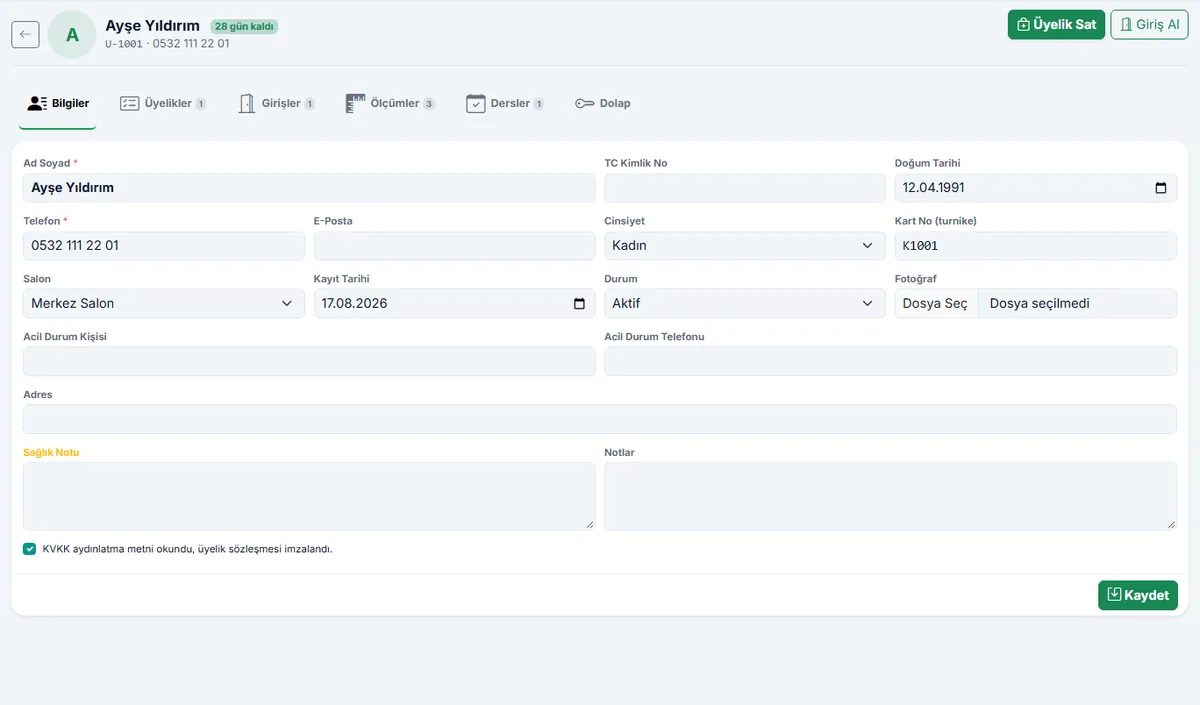
- Member file: ID, contact details, emergency contact, and health notes
- Photo, member number, and membership card number
- Body measurements: weight, body fat, waist, and more
- KVKK consent and printable membership agreement
Memberships and Packages
- Time-based (monthly, 3-month, annual), session-based, and group class packages
- Invoice and payment at the moment of membership sale
- Freeze option; on renewal, the new membership starts when the old one ends
- Personal training sessions and trainer assignment
Front Desk and Check-In
- Check-in by card, member number, or name in seconds
- Membership validity and remaining sessions shown instantly
- Today's check-ins and who is currently inside
- Locker assignment and tracking
Class Schedule
- Class types, trainers, and a weekly class template
- The weekly schedule is generated from a template with one click; capacity is checked
- Member bookings and attendance taken by the trainer
- No-show and cancellation records
Finance and Accounting
- Invoices are issued on the İskay ERP invoicing infrastructure; ready for e-Invoice and e-Archive
- Cash and bank payments, partial payments
- Open receivables and a list of members with outstanding balances
- Sales, check-in, and occupancy reports; CSV export that opens in Excel
Reminders and Communication
- SMS or email to members whose membership is about to expire
- Template text: name, package, expiration date, days remaining
- Sent only to members who have given KVKK consent
- Delivery log and a list of members whose birthday is today
From the Screens
Front desk, member file, and class schedule.
How Is It Set Up?
Your packages are defined
The gym, packages, trainers, and weekly class template are entered together with you; prices and VAT rates come preloaded.
Your members are imported
Our setup team moves your member list from Excel and your active memberships, with their end dates, into the system; nothing has to be entered from scratch.
The front desk is up and running the same day
The card reader is connected, and after a short training session the check-in screen is in use; we are here for your questions.
Questions on Your Mind
Can we import our existing member list?
Do we need a card reader?
How do invoicing and accounting work?
We have several gyms; can they run in one system?
Are personal training sessions tracked?
How is it priced?
Request a Free Demo for Your Gym
Enter your gym's name and member count; we will walk you through a sample gym set up for you.
Move Your Gym from the Ledger to the System
Memberships, check-in, classes, and payments in one system; the front desk runs smoothly and no receivable slips through.
Schedule a Free Demo